A piano loop can have the right notes and still feel a little empty. Sometimes it needs something behind it: a soft wash of sound, a rough edge, or a layer that slowly changes while the chords repeat.
That is where texture effects come in. They can turn a short vocal into a pad, stretch a guitar note into a long background layer, or add a little movement to a clean recording.
The best plugins for ambient textures do different jobs. Some break your audio into small pieces and rearrange them. Others add long echoes, noise, or the uneven pitch of an old tape. These six tools cover several ways to give a simple sound more character.
What Is a Texture Plugin?
“Texture plugin” is a loose description rather than a specific type of effect. Here, it means a tool that changes the surface, movement, or background character of a sound.
All six plugins below process audio you feed into them. Start with a recording, a sample, or an instrument playing in your music software. A pad is a sustained sound that usually sits behind the main melody, while a soundscape is a wider background built from several sounds or evolving layers.
1. Output Portal: Turn Small Sounds into Moving Layers
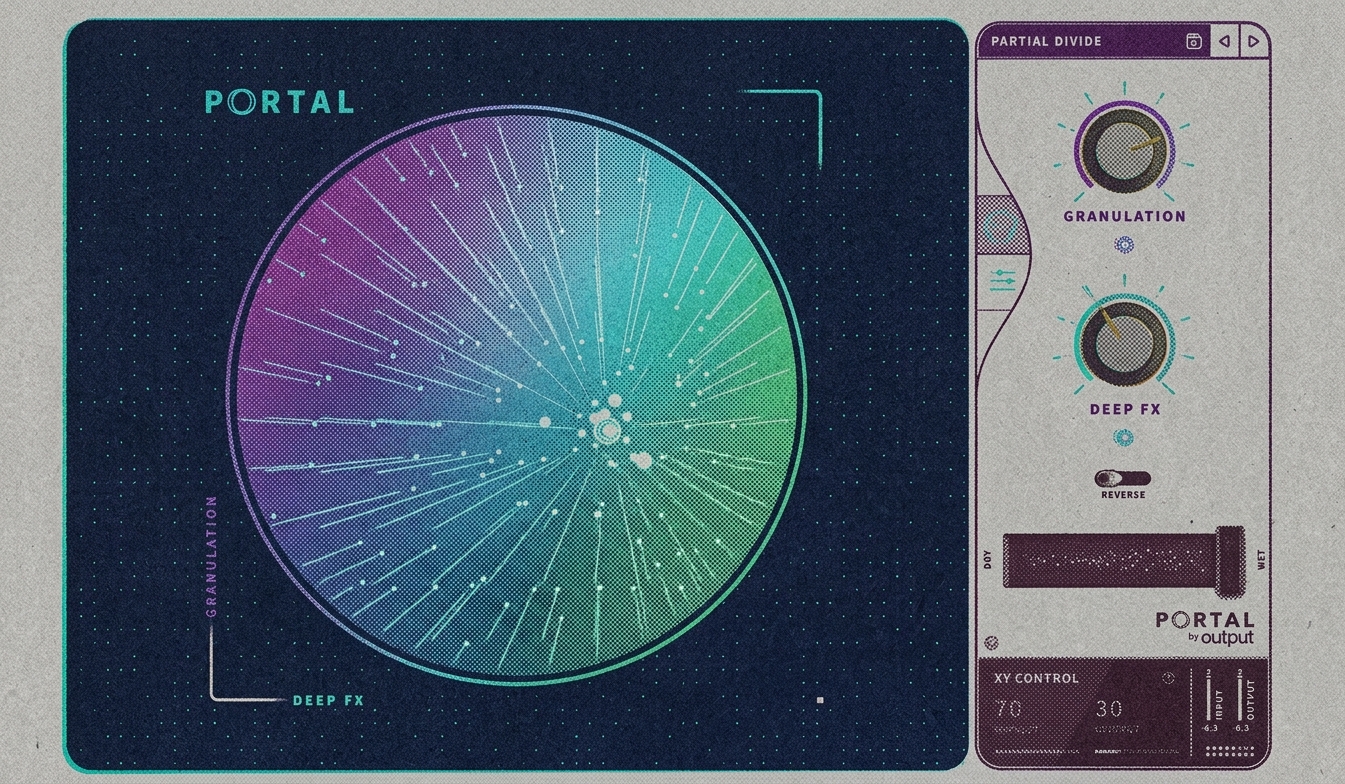
Portal is a granular effect. That means it cuts incoming audio into tiny pieces, called grains, then plays those pieces back in different ways. Changing their length, pitch, and spacing can turn a familiar recording into something quite different.
A useful starting point is a short vocal phrase or a few guitar notes. Keep the original recording on one track and use Portal on a copy. Blend the processed version underneath until you hear movement around the original part.
Portal is worth trying when you want the texture to change as it plays. Listen carefully around the lead vocal, though. A busy effect can start competing with the part it was supposed to support.
2. Arturia Efx FRAGMENTS: Explore Granular Rhythm and Atmosphere
Efx FRAGMENTS also uses granular processing, with controls for how sound is captured, divided, and played back. It can take you toward scattered rhythmic details or a much smoother cloud of sound.
Try it on a simple two-chord synth part. A short grain can create a fine, buzzing texture, while different grain lengths and playback settings can leave more of the original notes recognizable.
Change one control at a time while learning it. You will understand what is happening much faster than if you turn every knob and try to work out why the sound disappeared.
3. Devious Machines Texture: Add a Layer That Follows Your Sound
Texture adds another sound that responds to the level of your incoming audio. For example, noise can rise with each drum hit instead of running at a constant volume behind the beat.
It includes sound sources and lets you import your own samples. That opens up some useful combinations: a little air following a piano, a rough layer under percussion, or an environmental recording moving with a synth phrase.
Start with the added layer quieter than you think it needs to be. Switch the effect off and on. If the original suddenly feels bare when you bypass it, the texture may already be doing enough.
4. Valhalla Supermassive: Build Space Around Sparse Parts
Valhalla Supermassive is a free delay and reverb plugin. Delay repeats a sound; reverb creates the impression of sound lingering in a space. Supermassive can move between recognizable echoes and dense, extended tails.
Try playing a few widely spaced notes through it. Leave silence between them so you can hear what the effect adds. A busy melody can quickly fill the whole background once the repeats build up.
This is a good place to start if you want large ambient spaces without buying another instrument. Use less effect when the drums and bass arrive, so the arrangement still has room to breathe.
5. Audio Damage Other Desert Cities: Make the Repeats Part of the Music
Other Desert Cities is a delay plugin with six different algorithms. These are different ways of processing the repeats, ranging from more familiar echoes to granular and pitch-shifted effects.
It is worth exploring when the repeats themselves should become another musical layer. A short guitar phrase could leave a changing trail behind it, or a percussion hit could turn into a small pattern between the main drum hits.
Watch the feedback control, which determines how much of the delayed sound feeds back into the effect. Higher settings can build up quickly. Lower the output while experimenting.
6. XLN Audio RC-20 Retro Color: Give Clean Sounds a Worn Edge
RC-20 Retro Color is useful when your sound needs wear rather than a huge ambient tail. Its effects include noise, pitch wobble, and distortion, giving you ways to make a clean recording feel less polished.
Try a small amount of wobble on electric piano, or some gentle distortion on a soft synth. Distortion adds extra tonal content and can make a quiet layer easier to hear without simply turning it up.
You do not need every effect switched on. For a background part, a little pitch movement may be enough. Constant noise can become distracting in a sparse arrangement.
A Simple Way to Make Your First Ambient Texture
- Choose a short source. A vocal note, guitar phrase, or piano chord gives you something clear to work with.
- Duplicate the track. Keep the original so you can compare and blend the two versions.
- Add one effect. Start with a preset, then change one or two controls.
- Remove unnecessary low end. If the texture makes the bass harder to hear, use an EQ to reduce its lower frequencies.
- Record the result as audio. This lets you cut out the most interesting moments and place them where the song needs them.
Pay attention to the spaces between the main parts. A texture that sounds impressive on its own might be too busy under a singer. Bring it forward during the intro, leave a little of it under the verse, and let it return between phrases.
Which One Should You Try First?
For long, spacious tails, start with Supermassive. For reshaping recordings into moving grains, look at Portal or Efx FRAGMENTS. Texture is more suited to adding a responsive layer, while Other Desert Cities puts the focus on changing repeats. RC-20 is the one to consider when the sound needs a little age and roughness.
Use the same short recording when comparing demos. That makes it easier to hear what each plugin contributes. You may find that one effect and a good source sound give you all the atmosphere the track needs.