You have a finished recording, but you need the vocal on its own. Or you want to hear what the bass is playing without the rest of the band covering it up.
Stem separation tools try to split a mixed recording into separate parts. You can use the results to study an arrangement, make a practice backing track, or work on an authorized remix when the original recording session is unavailable.
The best stem separation tool depends on the recording and the part you need. A tool that handles a clear lead vocal well may struggle with a quiet guitar buried under cymbals. These six options offer different ways to approach the job.
What Are Stems?
In production, stems are usually grouped audio exports, such as all the drums in one file and the backing vocals in another. Separation software estimates those parts from an already mixed song.
That distinction matters. Extracted stems are not the original recording tracks. You may hear pieces of other instruments leaking through, missing details, or a watery sound around the edges. Those unwanted changes are often called artifacts.
For more background on the process, see our guide to isolating song stems.
1. LALAL.AI: Extract a Specific Voice or Instrument
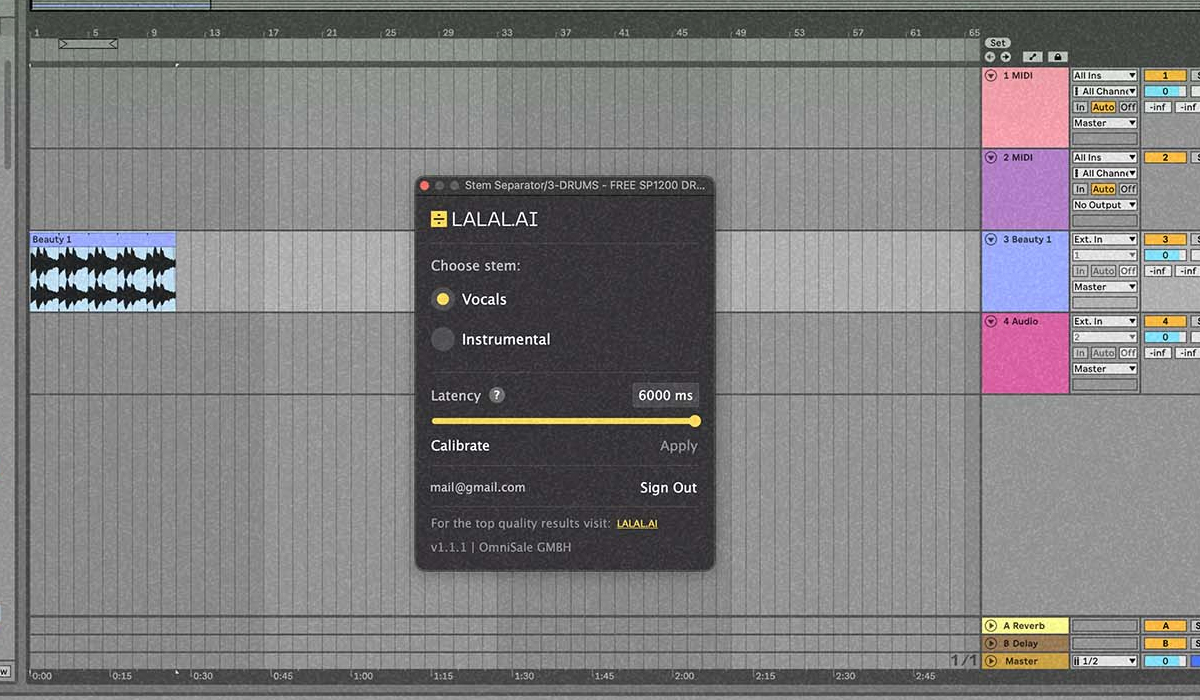
LALAL.AI offers vocal removal and separation for several instrument types, including drums, bass, guitars, and piano. Its online process lets you upload a recording and preview the result.
It is worth trying when you have one clear task, such as pulling a vocal from a mix or isolating a guitar part. Choose the relevant separation option and listen to the preview before processing the full track.
Check quiet passages as well as the loudest section. A vocal can sound convincing over a chorus while revealing leftover instruments between lines. Also check the current plan’s download allowance; preview access and full downloads are different things.
2. Moises: Separate Parts for Practice and Songwriting
Moises combines stem separation with tools aimed at musicians, including chord detection and playback speed adjustment. It is available through browser and app options.
That combination is useful when the goal is to learn a part. A bassist can reduce the original bass and play along, while a producer can isolate a rhythm section to hear how the bass and kick work together.
It is also worth considering when you want a backing track for rehearsal rather than separate files for a full production session. Check which instrument separations your plan includes, especially if you need something more specific than vocals, drums, and bass.
3. Fadr: Move from Separation into Remix Ideas
Fadr offers stem separation alongside remix tools. Its Basic plan includes separation into vocals, melodies, drums, and bass, with MP3 downloads. Paid options add more detailed separations and WAV downloads.
WAV is generally the better choice for continued editing because it avoids the lossy compression used by MP3. It will not repair a poor separation, but it avoids adding another layer of that compression to your working file.
Fadr is worth exploring if you want to separate a song and quickly try another arrangement. If you need the kick and snare individually, check access to those specific features rather than assuming a general drum stem includes them.
4. Ultimate Vocal Remover: A Free Desktop Option
Ultimate Vocal Remover, often shortened to UVR, is a free, open-source desktop application. Its project provides different separation models and processing options.
A model is the trained system doing the separation. Different models can produce different results from the same recording, so trying another one may help when the first output loses detail or leaves too much of another instrument behind.
UVR suits people who are willing to spend time on setup and comparison. Read the official installation instructions for your computer. Processing speed and the models you can run comfortably depend on your hardware and settings.
5. Steinberg SpectraLayers Pro: Separate and Inspect the Audio
SpectraLayers Pro combines separation with detailed spectral editing. Its Unmix Song tools divide a recording into instrument layers.
A spectral display shows sound over time and frequency. Low notes appear in a different area from high-frequency details, making it possible to inspect and work on particular sounds rather than only cutting the whole waveform.
This approach is worth considering when automatic separation is the beginning of the job. You might need to inspect a leftover sound or refine a short section. It also takes more learning than uploading a file to a simple online separator.
6. iZotope RX: Rebalance a Mix and Continue Cleaning It
iZotope RX includes Music Rebalance, which works with vocals, bass, percussion, and other instruments. It can help adjust the balance of an existing recording or isolate parts for further work.
This is useful when you also need audio repair. You may want to reduce unwanted noise or inspect a problem after separating the part, using other tools in the RX environment.
Check the features included in the edition you are considering. RX is a wider audio repair package, so it makes more sense to compare it against your whole editing workload than to judge it only as a vocal remover.
How to Compare Stem Separation Results
Use the same recording in each tool. Start with the highest-quality source you have; converting a low-quality MP3 to WAV will not restore details that are already missing.
Choose a section that includes the sound you need and something difficult around it. A vocal under loud cymbals will tell you more than an exposed opening line.
- Listen between vocal phrases. Check for drums, chords, or echoes leaking through.
- Listen to the start of drum hits. Kicks and snares can lose their impact during separation.
- Check sustained notes. Bass and guitar notes may develop an uneven, wavering sound.
- Listen in your actual project. Small flaws may be hidden by the arrangement, while others become more obvious.
Keep the volume similar when comparing results. A louder preview can seem clearer even when it contains more unwanted sound.
Choose the Tool for the Job
For a quick extraction, begin with an online option such as LALAL.AI or Fadr. Moises is worth a look for practice and learning parts. UVR offers a free desktop route, while SpectraLayers Pro and RX make sense when separation is part of a larger editing task.
Use music you own or are authorized to work with, and check permission before publishing a remix. A separated vocal is still part of the original recording.
If the result is only there to help you understand a bass line or rehearse a song, it does not have to survive being played completely alone. Judge it against what you actually need to do.