The Focusrite Scarlett Solo (3rd Gen) is a great choice for beginners and music lovers. It costs just $99.99 and is known for its top-notch recording quality. Over 30,550 users have given it a score of 94 out of 100.
This review will show why the Scarlett Solo stands out. It’s known for its quality build and performance. These features make it a favorite among audio interface users.
Focusrite has been a trusted name in audio since 1985. The Scarlett Solo (3rd Gen) is praised for its preamps, phantom power, and design. It’s perfect for anyone wanting to improve their recording setup.
In this guide, we’ll look at the Scarlett Solo’s best features, how easy it is to use, and its value for home recording.
Key Takeaways
- The Scarlett Solo (3rd Gen) is highly rated at 94 out of 100 based on extensive user feedback.
- It features 1 XLR microphone input and 1 instrument input, providing versatility for recording.
- With a sample rate of 24-bit/192kHz, it ensures quality sound for various applications.
- The interface is USB bus-powered, promoting easy connectivity with compatible devices.
- Despite some minor drawbacks, it represents excellent value for those starting in audio production.
Introduction to Audio Interfaces
In today’s music world, knowing about audio interfaces is key for top-notch recordings. These devices connect analog instruments to digital audio workstations (DAWs). They help musicians and producers get their sound right, whether it’s vocals, guitars, or electronic beats.
Focusrite’s Scarlett series is a big name, with over four million users. It’s the most used audio interface worldwide. It attracts both experienced pros and beginners looking for the best audio interface for beginners.
The Scarlett 3rd Gen has six models: Solo, 2i2, 4i4, 8i6, 18i8, and 18i20. Each model fits different recording needs. They offer from 2 inputs and 2 outputs to 18 analogue and ADAT digital inputs.
Scarlett interfaces are known for their audio quality. They use 24-bit/192kHz converters for clear and detailed sound. For beginners, the Easy Start feature makes setting up quick. This lets users start recording in minutes.
The Scarlett Series also offers software benefits. Registering a Scarlett 3rd Gen interface gives access to the Hitmaker Expansion. This includes content from top creators and software providers. It’s a great reason to choose Focusrite for music production.
What Makes the Focusrite Scarlett Solo (3rd Gen) Stand Out?
The Focusrite Scarlett Solo (3rd Gen) stands out in a crowded market. It offers great value and quality. It has a user rating of 94 out of 100 from over 30,550 reviews, showing it’s loved by many.
Its preamp performance and compact design are key features. They appeal to beginners and home studio users. This makes it a reliable choice for recording.
Being portable is another big plus. Users can take the Scarlett Solo anywhere without losing quality. The Air feature also boosts vocal clarity, helping during recordings.
It works well with many recording setups. This means many musicians can use it to their advantage.
The Focusrite Scarlett Solo (3rd Gen) is praised for its functionality and user experience. It’s a top pick for anyone wanting to record high-quality audio.
Focusrite Scarlett Solo (3rd Gen) Features
The Focusrite Scarlett Solo (3rd Gen) is known for its top-notch audio quality. It also has handy features for musicians and audio fans. This small audio interface fits in your bag or guitar case, making it easy to take anywhere.
Compact Design for Portability
The Scarlett Solo’s small size is perfect for those who need to move around. It’s light, weighing just under 1 pound. This makes it easy to carry to studios, practice spots, or live shows.
It has:
- 1 microphone input (XLR)
- 1 line/instrument input (6.3mm jack)
- 2 line outputs (6.3mm jack)
- Stereo headphone output (6.3mm jack)
This setup is great for solo artists and singer-songwriters. It has all the connections you need for top-notch recordings and easy monitoring. This makes the Scarlett Solo perfect for those always on the move.
High-Quality Preamps and Air Feature
The Scarlett Solo has high-quality preamps for clean, clear sound. It also has +48V phantom power for professional microphones. The Air feature adds brightness and clarity to your recordings.
It can record at 192 kHz and 24 bits, capturing every detail. It also comes with the Hitmaker Expansion Software Bundle. This includes plugins for mastering, virtual instruments, vocal tuning, and more.
- AI-based mastering tools
- Virtual instruments
- Vocal tuning
- Channel strips

The Scarlett Solo (3rd Gen) is a top choice in the affordable audio interface market. It’s small but packs a big punch in audio performance. It’s perfect for creators who want simplicity without sacrificing quality.
Recording Audio with the Scarlett Solo
Recording audio with Scarlett Solo is easy once you know how to set it up. This guide will help you get started on Mac OS or Windows. The interface makes connecting microphones and instruments simple. I’ll also share tips to improve your recording quality.
Setup and Installation Process
The Scarlett Solo setup starts with unboxing. You’ll find the audio interface, a condenser microphone, headphones, cables, and a guide. Here’s how to set it up:
- Connect the Scarlett Solo to your computer with the USB Type C cable.
- For Mac users, look for the Scarlett icon on the desktop. This means you’re connected without needing drivers.
- Plug your microphone into the XLR input and connect headphones to the output.
- Launch your DAW to make sure the Scarlett Solo is recognized as the input device.
The Scarlett Solo is easy to set up because it’s class compliant on macOS. It gets power from your computer, so you don’t need a separate power supply. The included Quick Start tool makes the process smooth.
Best Practices for Recording Vocals and Instruments
To get the best results, mix technique with equipment optimization. For vocals, position the microphone right to capture the sound you want. Here are some tips:
- Use a pop filter to reduce plosive sounds.
- Keep a consistent distance from the microphone.
- Use Direct Monitoring to hear your voice in real-time without delay.
For instruments, focus on these:
- Adjust input gain levels to avoid clipping.
- Try different microphone placements to find the best tone.
- Use more microphones for complex recordings to get a richer sound.
By using these techniques and the Scarlett Solo’s features, you’ll improve your recording experience.

| Feature | Description |
|---|---|
| Direct Monitoring | Real-time monitoring without computer latency effects. |
| USB Power | Powers directly through computer USB connection. |
| 24-bit, 192 kHz Resolution | Supports high-definition audio recording quality. |
| Quick Start Tool | Guides users through the setup process efficiently. |
Affordability and Value for Beginners
The Focusrite Scarlett Solo (3rd Gen) is a top pick for music production newcomers. It costs just $99, making it a great audio interface for beginners. Despite its low price, it doesn’t skimp on quality, appealing to those just starting out.
This interface has key features like one 1/4” line/instrument input and an XLR input with 48-volt phantom power. It’s easy to connect different microphones and instruments. It also supports sampling rates from 44.1kHz to 192kHz, ensuring high-quality audio for new musicians.
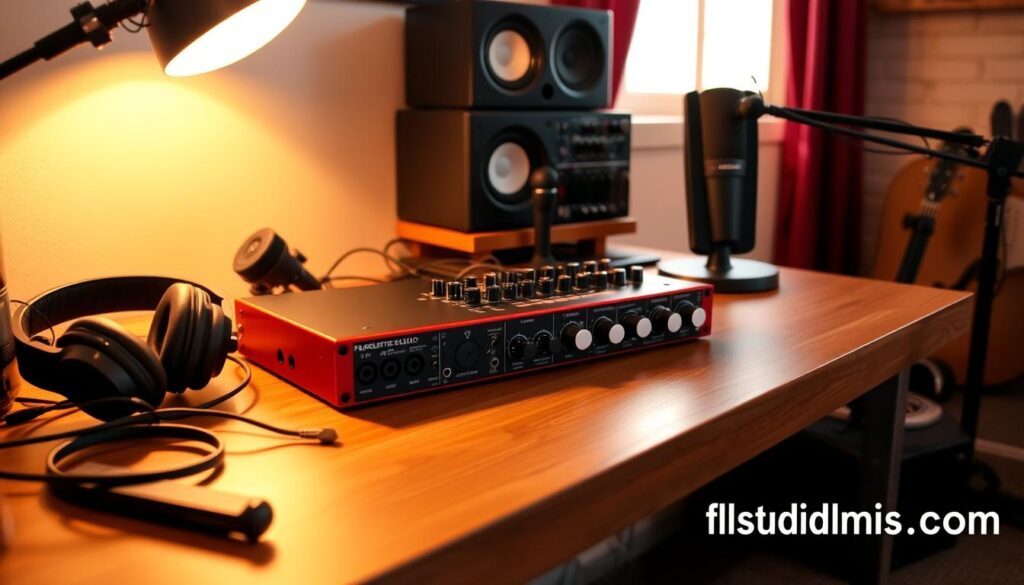
Compared to other affordable options, the Scarlett Solo (3rd Gen) offers great value. Here’s how it stacks up against some rivals:
| Audio Interface | Price | Inputs | Dynamic Range | Software Bundle |
|---|---|---|---|---|
| Focusrite Scarlett Solo (3rd Gen) | $99 | 1 XLR, 1 Line/Instrument | 104dB | XLN Audio, Ableton Live Lite |
| M-Audio M-Track Duo | $69 | 2 Combo Inputs | Not listed | Basic software suite |
| Yamaha AG06MKII | $199 | 2 XLR, 2 Line | Not listed | Includes Cubase AI |
| Universal Audio Volt 476P | $469 | 4 Inputs | Not listed | UAD’s Analog Classics |
The Scarlett Solo’s mix of low cost, high sound quality, and a good software bundle makes it a top choice for beginners. I love the zero-latency monitoring feature. It lets me record without interruptions, helping me focus on making music.
Scarlett Solo Compatibility with Devices
The Scarlett Solo (3rd Gen) is great with many devices and systems. It’s easy to use in different setups. This makes it perfect for both new and experienced users.
It’s not just about hardware. The interface also works well with lots of Digital Audio Workstations (DAWs). This is why it’s so popular in the audio world. Some top DAWs it works with include:
- Pro Tools
- Ableton Live
- Logic Pro
- FL Studio
- GarageBand
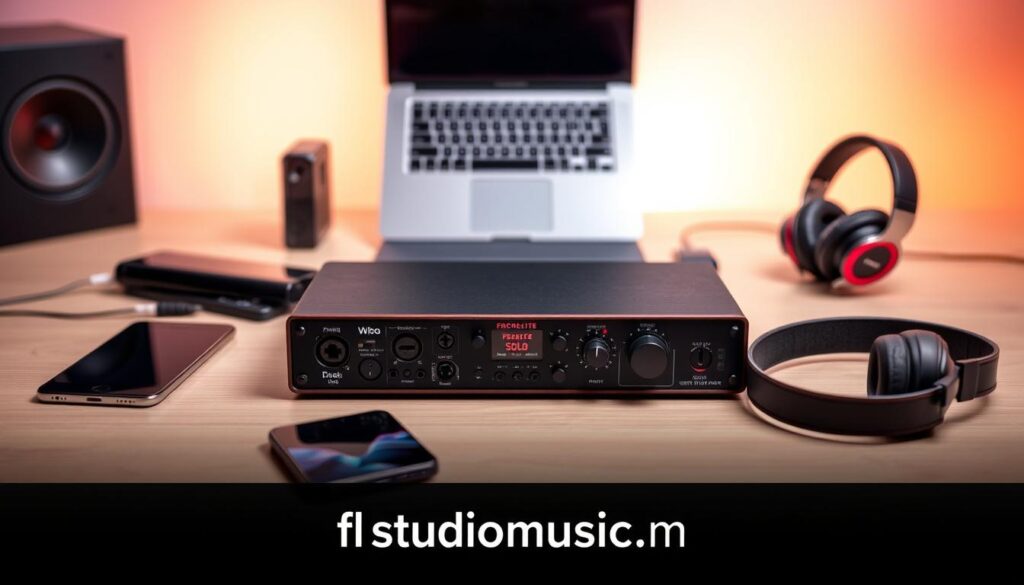
This wide USB audio interface compatibility lets users easily add the Scarlett Solo to their current workflows. It connects via USB Type-C and uses the USB 2.0 protocol. This means it works with Macs, Windows PCs, and USB-C iPads. Plus, its class-compliant design means you don’t need extra drivers, making setup easy.
To show how compatible the Scarlett Solo is, here’s a table:
| Device Type | Compatibility | Details |
|---|---|---|
| Operating Systems | Mac, Windows | Class compliant, no drivers required |
| DAWs | Various (e.g., Pro Tools, Ableton Live) | Supports leading audio software |
| Accessories | USB-C iPads | Direct connection with compatible adapters |
In short, the Scarlett Solo (3rd Gen) is great for many devices and systems. It’s easy to use in different audio setups without losing quality. This makes it a great choice for any musician.
User Experience: Setting Up the Scarlett Solo
Setting up the Scarlett Solo can be tricky, especially with software compatibility. I’ve faced many setup issues, especially with DAWs like Ardour. The interface works well but might not support all software features.
Common Setup Challenges
Many users struggle with recording guitar tracks in Ardour 5 on Windows 10. They face several problems:
- They can’t select Hardware in Destinations under outputs, causing playback issues.
- Crashes happen when using the ASIO driver unless the buffered I/O button is on.
- Noise peaks during recordings, reaching -69 dB, which can mess up audio clarity.
Even though the Scarlett Solo shows up as a valid device, getting reliable playback can be tough. Setting it up right, especially on Windows, requires patience. It’s key to have a forgiving setup process.
Recommended Equipment
Getting great recordings with the Scarlett Solo needs more than just the interface. Here’s what I suggest:
- Microphones: Get a good condenser mic for vocals and acoustic instruments. The Audio-Technica AT2020 is a great choice.
- Headphones: Use high-fidelity closed-back headphones like the Sony MDR-7506 for accurate monitoring.
- Additional Gear: Quality cables and an inline preamp can boost your recording quality.
Using the right equipment improves your recordings and makes setup easier. By tackling common issues and adding the right gear, you’ll have a better Scarlett Solo experience.
Pros and Cons of the Focusrite Scarlett Solo (3rd Gen)
When looking at the Focusrite Scarlett Solo review, it’s key to consider both its good points and drawbacks. This audio interface is known for its great sound quality and design. However, it also has some limitations.
Pros:
- Exceptional sound quality, thanks to its high-performance preamps and a dynamic range of 111 dB.
- Its compact and portable design is perfect for recording on the go.
- It’s priced at $160.00, making it a good choice for beginners.
- It offers stable phantom power of +48v and low latency, especially at higher sample rates.
- The inclusion of software bundles like Ableton Live Lite and the Hitmaker Expansion adds to its value.
Cons:
- Headphone and monitor outputs share volume control, which can be a problem for some.
- There are software compatibility issues, like bugs with Discord.
- Settings don’t save when unplugged, which can be inconvenient.
- The metering lights have limited granularity, and there’s no physical mix dial, which can hinder workflows.
- Upgrades from the previous generation may not be worth it for existing users.
Knowing the pros and cons of the Focusrite Scarlett Solo (3rd Gen) helps buyers make better choices. It shows if this interface meets their recording needs. Here’s a summary table that highlights these points:
| Category | Pros | Cons |
|---|---|---|
| Sound Quality | High dynamic range (111 dB) | Shared headphone and monitor output volume |
| Portability | Compact design | Settings not stored when unplugged |
| Value | Affordable at $160.00 with bundled software | Limited granularity in metering lights |
| Latency | Low latency, especially at 192 kHz | Occasional software compatibility issues |
Conclusion
In my review of the Focusrite Scarlett Solo, it’s clear this USB audio interface is a top choice for beginners. It’s priced at $109, offering great performance and features. It’s a solid investment for anyone wanting professional-sounding recordings at home.
The Scarlett Solo (3rd Gen) has 24-bit/192 kHz resolution and high-quality preamps. These features reduce background noise, giving you clear audio. Its small size and light weight make it easy to take anywhere, letting you create music wherever you are.
Despite some minor drawbacks, like no mono/stereo switch, the Solo’s value is unmatched. It’s all about quality, affordability, and portability. I highly recommend it to anyone starting their audio journey. Its strong features will help you make great recordings and improve your home studio experience.
FAQ
What is the Focusrite Scarlett Solo (3rd Gen)?
The Focusrite Scarlett Solo (3rd Gen) is a USB audio interface. It’s made for musicians and producers, especially beginners. It offers top-notch recording quality at just .99.
What are the standout features of the Scarlett Solo?
The Scarlett Solo shines with its great preamp performance and small design for easy transport. It also has the Air feature, which mimics the sound of Focusrite’s ISA preamps. Plus, it works well with many high-end microphones.
How do I set up the Scarlett Solo (3rd Gen)?
To set up the Scarlett Solo, just plug it into your computer via USB. Then, download the drivers and set up your DAW. For more details, check out the Scarlett Solo setup tutorial.
Is the Scarlett Solo compatible with all operating systems?
Yes, the Scarlett Solo is compatible with Windows and macOS. This makes it easy to add to any music production setup.
What are the pros and cons of the Focusrite Scarlett Solo (3rd Gen)?
The Scarlett Solo’s big pluses are its sound quality, portability, and price. It also has cool features. But, it has some downsides like shared output volume and software bugs, like the Discord issue.
Why is the Scarlett Solo considered the best audio interface for beginners?
The Scarlett Solo is a top pick for beginners. It’s easy to use, sounds great, is small and portable, and is affordable. This makes it perfect for new music producers.
What equipment do you recommend to use with the Scarlett Solo?
For the best recording with the Scarlett Solo, use quality microphones like the Shure SM58 or Audio-Technica AT2020. Also, closed-back headphones like the Audio-Technica ATH-M50x will improve your experience.
Source Links
- https://www.gearank.com/gear/focusrite-scarlett-solo-3rd-gen-usb-audio-interface/
- https://www.thomannmusic.com/focusrite_scarlett_solo_3rd_gen.htm
- https://focusrite.com/articlesintroducing-scarlett-3rd-gen/
- https://fael-downloads-prod.focusrite.com/customer/prod/s3fs-public/downloads/Scarlett Solo 3rd Gen User Guide_EN.pdf
- https://fael-downloads-prod.focusrite.com/customer/prod/downloads/Scarlett Solo 3rd Gen User Guide V2_0.pdf
- https://focusrite.com/scarlett
- https://linuxmusicians.com/viewtopic.php?t=24059
- https://fael-downloads-prod.focusrite.com/customer/prod/s3fs-public/downloads/Scarlett Solo Studio 3G User Guide_EN_0.pdf
- https://www.nytimes.com/wirecutter/reviews/best-usb-audio-interface/
- https://www.guitarplayer.com/reviews/focusrite-scarlett-solo-3rd-gen-review
- https://www.charlescleyn.com/blog/focusrite-scarlett-solo-review
- https://www.buzz-music.com/post/the-best-budget-friendly-audio-interfaces-for-beginners
- https://www.idjnow.com/focusrite-scarlett-solo-studio-interface-with-mackie-3-inch-monitors.html?srsltid=AfmBOor1lQXPcwZ6IEZsQo7ZloDE6nQQoewdcg1twsVDxc9WjoRzx1q1
- https://synthyfrog.com/devices/details/focusrite-scarlett-solo-2nd-gen/
- https://masters-of-music.com/review-2nd-gen-focusrite-scarlett-2i2-audio-interface-video/
- https://discourse.ardour.org/t/noobie-setup-with-focusrite-scarlett-solo-second-gen/101104
- https://forum.reasontalk.com/viewtopic.php?t=7531110
- https://podcastage.com/rev/2i23rd
- https://proaudio.com.pk/focusrite-scarlett-solo-3rd-gen-review/?srsltid=AfmBOoqQAfc6KGTAENFWaRoJVj0xjEdcqlE_wqdh1BXJz9TNdhONgV6p
- https://riverside.fm/blog/scarlett-2i2-review
- https://musiclibraryreport.com/hardware-reviews/focusrite-scarlett-solo-3rd-generation/
- https://audiosciencereview.com/forum/index.php?threads/teardown-few-basic-measurements-and-personal-thoughts-of-the-focusrite-solo-gen3.9101/