Finding a new VST plugin is easy. Finding one that fits your music, budget, and computer takes a little more work. Some websites bring together products from many developers. Others focus on free downloads, mixing tools, or instruments you can use to start your next track.
This guide compares ten useful places to find free and paid VST plugins, from Plugin Boutique and Waves to free plugin directories and the r-loops marketplace. Each has a different strength, whether you want a new synth, a vocal effect, or fresh presets for an instrument you already own.
For a broad paid-plugin search, start with Plugin Boutique. For free discoveries, try Audio Plugins for Free or Free VSTs. If mixing is your priority, Plugin Alliance and Waves are worth exploring. The comparison below will help you choose where to look first.
Best Websites for VST Plugins at a Glance
| Website | What it offers | Free or paid? | Best fit |
|---|---|---|---|
| Plugin Boutique | Multi-brand plugin store with instruments, effects, and bundles | Paid products plus a free section | Comparing developers and browsing deals |
| Steinberg | Free instruments and sounds in the Steinberg ecosystem | Free products on the linked page | Adding playable sounds from a developer’s own website |
| Audio Plugins for Free | Directory of free instruments and effects | Free-focused | Searching by plugin type and discovering alternatives |
| Plugin Alliance | Mixing and mastering tools, creative effects, and instruments | Mainly paid; free plugins also available | Building a mixing toolkit |
| Waves | One developer’s effects, instruments, and bundles | Mainly paid; purchase and subscription options | Vocal processing and everyday mix tasks |
| Free VSTs | Free plugin discoveries and preset packs | Free-focused | Exploring freeware and sounds for existing synths |
| r-loops | Marketplace for plugins, presets, and sample packs | Paid plugins alongside a wider sound catalog | Shopping for beatmaking tools and sounds together |
| KVR Audio | Searchable plugin database, user reviews, and community discussions | Free and paid products | Researching plugins and comparing user experiences |
| Gear4music | Music retailer selling plugins, software, and studio equipment | Mainly paid | Buying software with access to retailer customer support |
| Thomann | Music retailer with plugins, virtual instruments, and production software | Mainly paid | Comparing software offers and buyer reviews |
These recommendations are based on each platform’s catalog and focus. They are a guide to where to browse, rather than a sound-quality ranking of every plugin available.
1. Plugin Boutique
Best for comparing paid plugins from different developers.
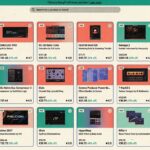
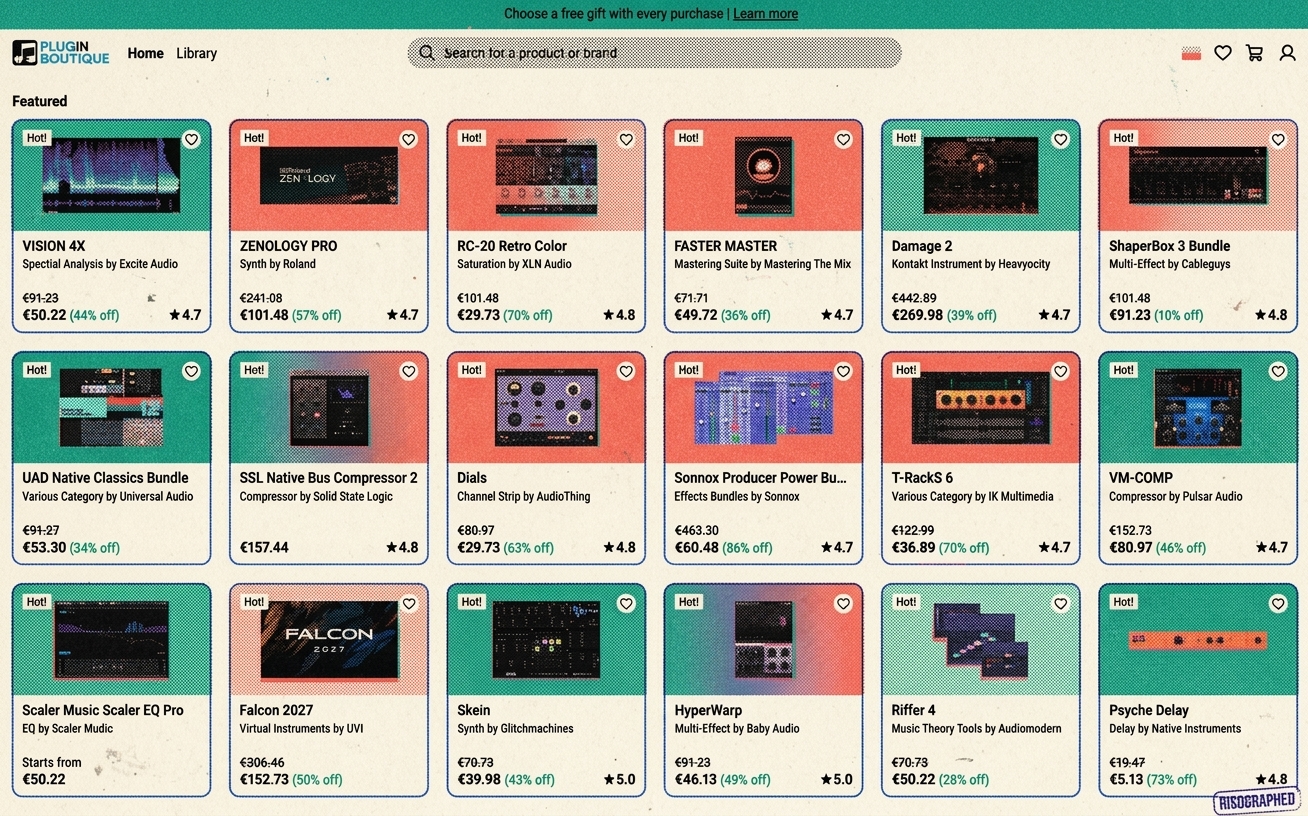
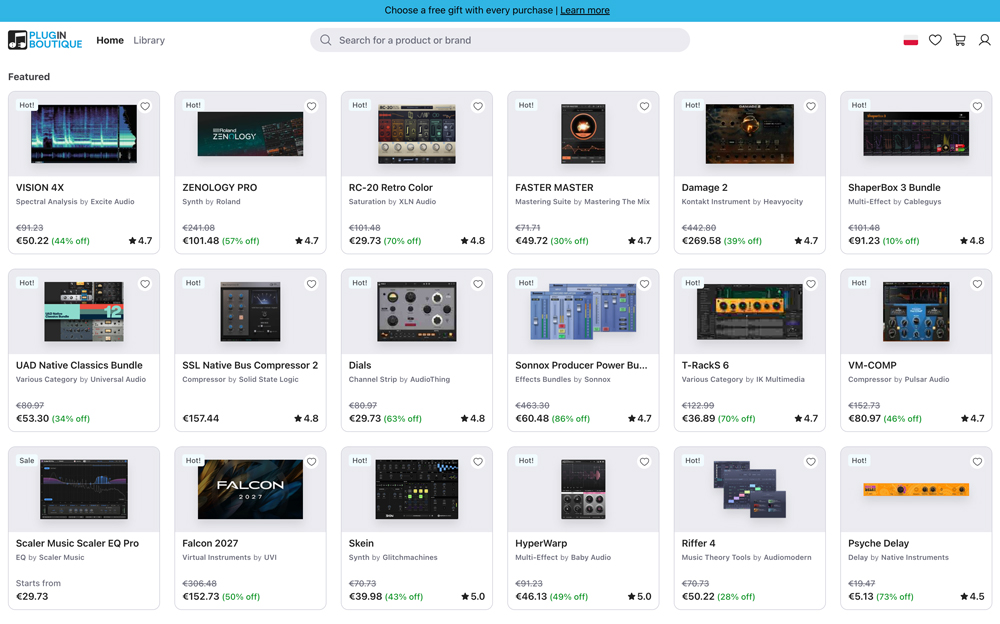
Plugin Boutique is a useful first stop when you know what kind of plugin you need but have not chosen a brand. Its catalog covers synths, virtual instruments, EQs, compressors, reverbs, creative effects, and bundles.
The main advantage is being able to browse several developers in one place. If you need a reverb, for example, you can build a shortlist without starting a separate search for every brand. Its deals section is also useful when you have a specific purchase in mind.
Plugin Boutique is not limited to paid software. It has a dedicated free section, so it belongs on your list even if you are building a setup on a small budget.
Before downloading: Check whether the listing is a full plugin, an expansion, or a preset pack. These can appear in the same wider catalog but serve different purposes.
2. Steinberg Free VST Instruments
Best for exploring free instruments directly from Steinberg.
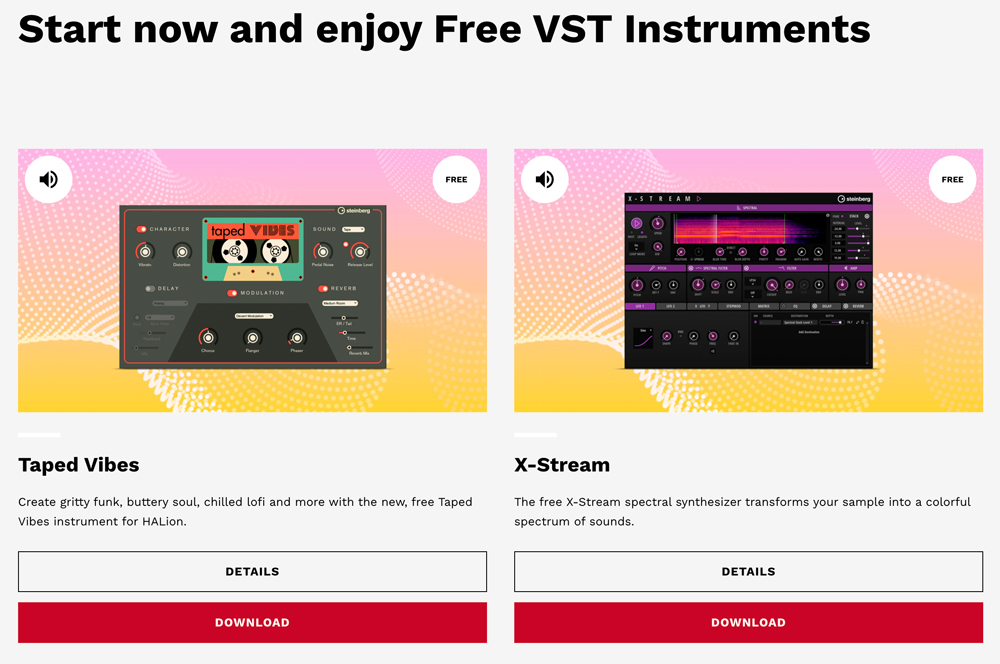
Steinberg’s free instruments page offers a more focused starting point than a large plugin marketplace. It is worth visiting when you want additional sounds to play and arrange, rather than a long list of mixing effects.
One key part of the collection is HALion Sonic, a free player for compatible instruments and libraries. It is available for supported VST3, AU, and AAX hosts, as well as standalone use on Windows and macOS. That means it is not limited to Cubase users.
This route makes sense if you prefer exploring a smaller selection within one developer’s ecosystem. You can begin with the free offerings and decide which sounds fit your projects.
Before downloading: Read the requirements for each instrument. A free player does not mean every library that runs inside it is also free.
3. Audio Plugins for Free
Best for finding free alternatives across many plugin categories.
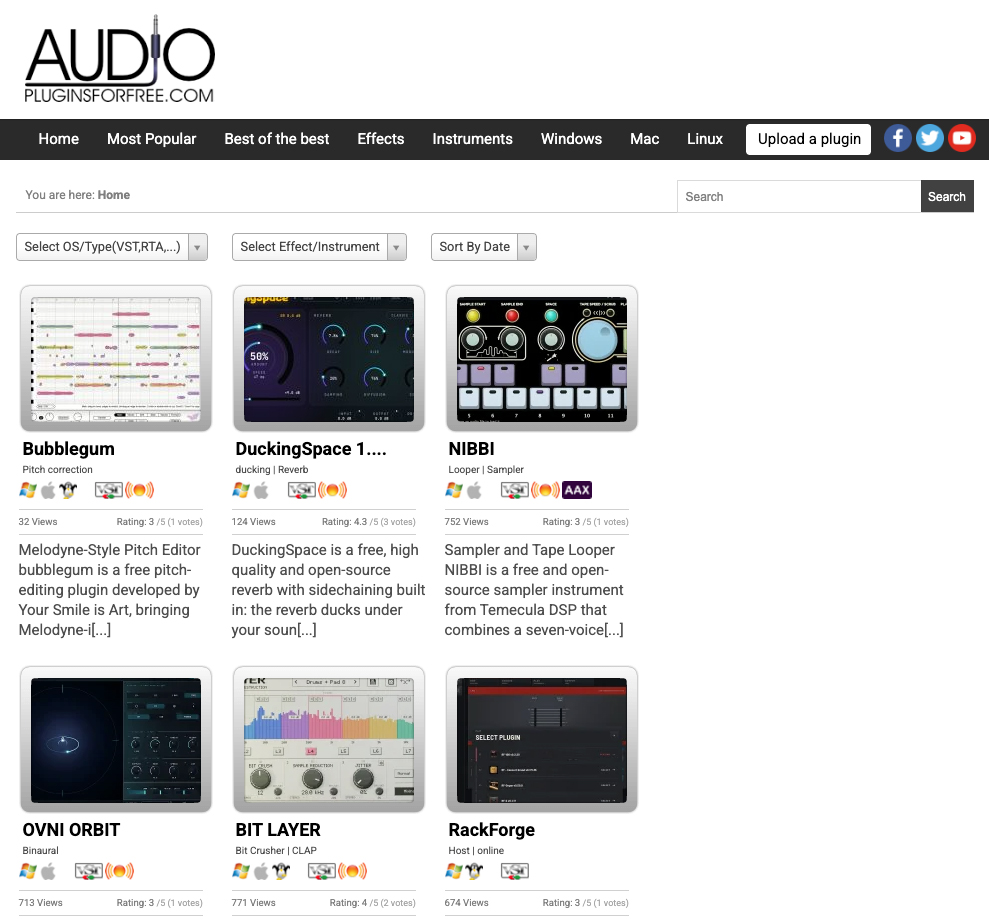
Audio Plugins for Free is a directory covering a wide range of free music software. Its categories include EQs, compressors, reverbs, synths, pianos, and drum instruments.
The variety makes it helpful when you have a particular job in mind. You might be searching for an EQ to shape a vocal, an FM synth for keys and basses, or a distortion effect to change a drum loop. Listings such as TDR Nova and Dexed show how different the available tools can be.
It is a good starting point for beginners working with a limited budget, but also for experienced producers who enjoy trying less familiar software.
Before downloading: Check the developer’s current compatibility information. A directory can include older releases, and a plugin listed for Windows or Mac may not support your particular operating system version.
4. Plugin Alliance
Best for producers who want to expand their mixing and mastering tools.
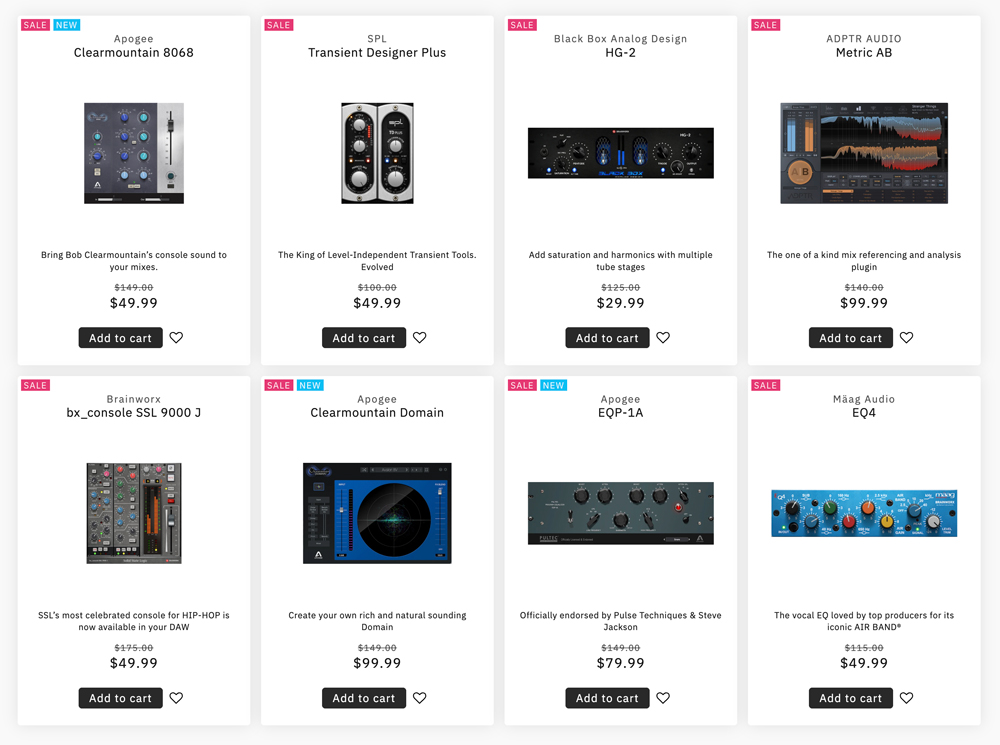
Plugin Alliance is especially worth browsing for EQs, compressors, channel strips, saturation, and other processors. Its catalog includes Brainworx tools and a range of products inspired by studio hardware.
If your instrument collection already covers what you need, this is a useful place to focus on processing. You might look for a channel strip to handle several mix tasks in one interface, or a compressor that gives drums a different feel.
The platform offers paid products and subscription options, but it also has free plugins. That gives you a way to explore part of the catalog before committing to a larger purchase.
Before buying: Choose a tool for a clear purpose. A large collection of processors is only useful if you understand when and how to use them.
5. Waves
Best for vocal processing and a broad selection of mixing effects.
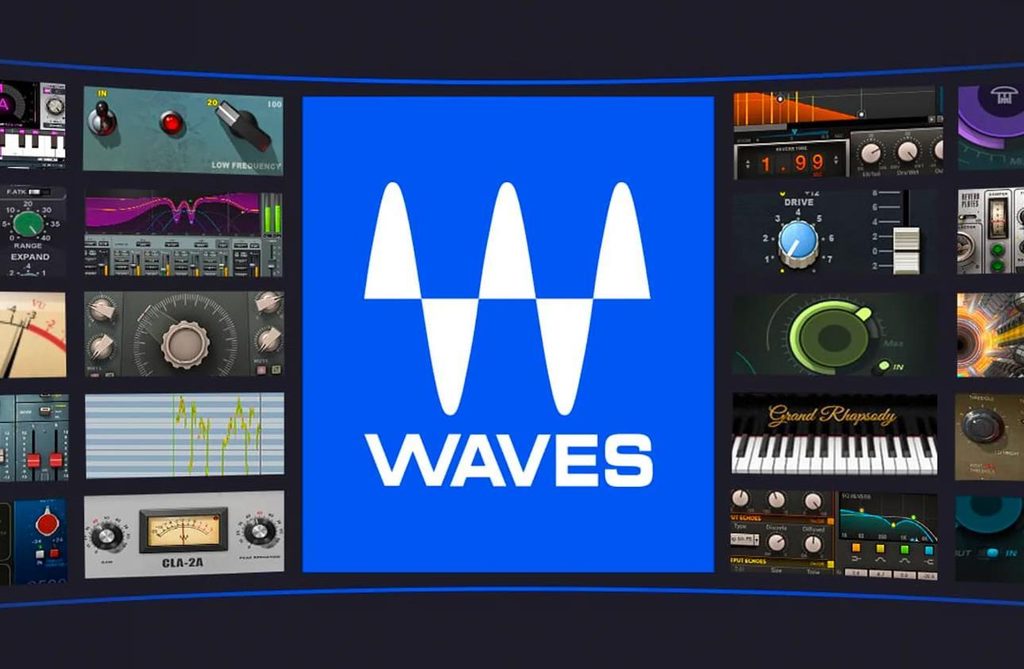
Waves sells its own music production software, with individual plugins, bundles, and a subscription option. Its range covers mixing and mastering, alongside virtual instruments such as synths and electric pianos.
It is a useful place to browse when you have a specific mix problem to solve. That could mean controlling vocal levels, adding reverb, or limiting a mix. Producers who prefer learning several tools from one developer may also find this approach convenient.
Although effects are a major part of the catalog, the instrument section deserves a look if you are also searching for new sounds.
Before buying: Compare the individual plugin, bundle, and subscription options. Read the compatibility and update terms too, including how the Waves Update Plan applies to your chosen purchase.
6. Free VSTs
Best for discovering free plugins and presets for synths you already use.
Free VSTs combines plugin listings with free preset discoveries. You can browse instruments and effects, then explore sounds designed for existing plugins, including Serum preset packs.
That makes it useful in two different situations. You might want a completely new instrument, or you might simply need fresh sounds for a synth you already know. A preset pack can be a quick starting point when you would rather write a melody than program a patch from scratch.
The site also suits producers who enjoy browsing freeware without a specific shopping list. You may come across a small utility or creative effect that fills a gap in your setup.
Before downloading: A free preset pack does not include the synth it requires. Check the plugin name and version before adding it to your collection.
7. r-loops
Best for finding plugins alongside presets and sample packs.
r-loops is a music production marketplace with separate sections for VST instruments and VST effects. The wider catalog also includes presets and sample packs.
This combination is useful for beatmakers who want both tools and material for a track. You can explore an instrument, look for additional presets, and browse samples during the same visit.
The instrument listings include beatmaking-focused products such as 808 and trap instruments. For someone producing hip-hop or trap, that can be a practical starting point when searching for sounds that fit those styles.
Before buying: Read the individual product description carefully. Confirm whether you are getting an installable plugin, a sound library, presets, or audio files, and check the developer’s system requirements.
8. KVR Audio
Best for researching plugins and reading user reviews.
KVR Audio is a useful place to explore before downloading or buying a plugin. Its searchable database covers free and paid instruments, effects, and other music software, making it easy to discover alternatives beyond the brands you already know.
The community is a major reason to visit. Alongside product information, you can find user reviews, ratings, and forum discussions. These can help you understand how a plugin fits into real projects and what other producers like or find frustrating about it.
KVR is especially helpful when you have narrowed your search to a few options. Read the product details, compare user feedback, and explore related tools before deciding which one to try.
Before choosing: Check the dates and software versions mentioned in reviews. Older feedback may describe a release that has since changed.
9. Gear4music
Best for buying paid plugins from a music retailer with customer support.
Gear4music sells music software alongside instruments and studio equipment. Its plugin selection includes virtual instruments, EQs, reverbs, and other effects from developers such as FabFilter, u-he, and Toontrack.
It is worth checking when you already know which plugin you want and would like another retailer to compare. You can also shop for software and studio equipment in the same place.
Gear4music has a substantial collection of customer reviews on Trustpilot, with many buyers praising helpful customer service. These reviews cover the wider store, rather than only plugin purchases, but they can help you assess the buying experience. Direct customer support is another useful point of contact for order questions.
Before buying: Check that the listing is the full license you need, rather than an upgrade or education edition. Read the activation instructions and digital-download terms too.
10. Thomann
Best for comparing paid software and reading reviews from buyers.
Thomann is worth checking even if you usually associate it with guitars, keyboards, or studio equipment. Its software catalog includes virtual instruments, audio effects, DAWs, and sound libraries from a range of developers.
Customer feedback is a useful part of the shopping experience. Software product pages can include ratings and written reviews, and Thomann says that its product ratings come from customers who bought the item from the store. These comments can help you assess sound, ease of use, and CPU demands alongside the official specifications.
It is a practical option when you have a shortlist and want to compare another retailer’s offer. Check whether the price is for a full license, an upgrade, or an education version.
Before buying: The 30-day money-back guarantee has licensing exceptions, including already registered software. Confirm the terms for your download license before purchase.
How to Choose the Right Plugin Website
Start with the task you want to complete. If your track needs a new instrument, browse synths and sound libraries. If the vocal feels uneven or the drums need more impact, look at effects. This makes your search much more useful than browsing every sale.
- For user reviews and deeper research: Use KVR Audio to explore alternatives and community feedback.
- For another paid-plugin retailer: Compare Gear4music and Thomann, especially if access to retailer customer support matters to you.
- For a free setup: Start with Audio Plugins for Free and Free VSTs, then explore Steinberg’s free instruments.
- For comparing paid options: Use Plugin Boutique to browse multiple developers in one place.
- For a more focused mixing search: Explore Plugin Alliance and Waves.
- For beatmaking tools and sounds together: Browse r-loops.
When a trial is available, test the plugin in a project you already know. Listen to what it changes, check how much CPU it uses, and see whether its controls make sense to you. A discount matters less than whether you will actually use the tool.
Customer Reviews and Refund Policies Compared
Before buying a plugin, check both the feedback and the refund terms. A review of a store’s delivery or support is different from a review of how a plugin sounds. Free directories also work differently from shops: they help you discover software, but may send you to another website to download or buy it.
Policy information checked on October 13, 2026. The summaries below describe the published policies, not an unconditional refund guarantee. Eligibility depends on the product, seller, activation or download status, and applicable consumer rights. Check the linked terms for your purchase.
| Website | Are customer or user reviews available? | Software return and refund policy |
|---|---|---|
| Plugin Boutique | Yes. The site offers customer product ratings and industry reviews; store reviews are also available on Trustpilot. | Its policy allows a refund request within 14 days if downloading, activation, or authorization has not begun. Manufacturer restrictions and bundle rules apply; faulty or misdescribed products have separate provisions. Read the refund policy. |
| Steinberg | User feedback is available through Steinberg Forums. This is community discussion, rather than a verified-buyer rating system for the free instruments page. | No refund is needed for the free products covered here. For paid purchases from Steinberg’s own online shop, its help center says refund requests must be made within 14 days through support. Purchases from another retailer follow that seller’s process. Read the refund instructions. |
| Audio Plugins for Free | Yes. Plugin listings display user ratings and vote counts. These are community ratings, not evidence of a verified purchase. | Not applicable to the free downloads covered here. It is a discovery directory; any separate paid purchase follows the checkout seller’s policy. |
| Plugin Alliance | Yes. Store-level customer reviews are available on Trustpilot. Distinguish comments about billing and support from reviews of a particular plugin. | Its terms allow refund requests within 14 days of the initial purchase, before license activation. A bundle must be returned in full before any included plugin is activated. Paid subscription periods are generally non-refundable, subject to the stated exceptions. Read section 13 and the subscription terms. |
| Waves | Yes. Product pages include customer ratings and reviews; the amount of feedback varies by plugin. | Direct payments are generally final and non-refundable, with discretionary and legally required exceptions. Cancelling a subscription does not normally refund unused time in the current billing period. Read the purchase and subscription terms. |
| Free VSTs | No customer-rating or verified-buyer review system was found on the pages checked. The site primarily publishes plugin and preset listings. | Not applicable to the free downloads covered here. Follow the linked developer’s terms; any paid purchase elsewhere is governed by that seller’s policy. |
| r-loops | Yes. Store reviews are available on Trustpilot, although the review sample is small. They should not be treated as a review of every plugin sold. | The published terms state that orders cannot normally be cancelled once the product has been downloaded, with refunds considered in exceptional circumstances at management discretion. Contact support about a specific issue. Read the refund terms. |
| KVR Audio | Yes. The product database includes user reviews and ratings, with further discussion in the forums. Community feedback is not necessarily from verified buyers. | Browsing the database has no purchase to refund. KVR Marketplace digital sales are generally final; a refund may be authorized if a technical problem cannot be resolved and the developer requests it. External shops have their own policies. Read the Marketplace refund policy. |
| Gear4music | Yes. A large body of store-level customer feedback is available on Trustpilot. It covers the wider retail business, not just plugin orders. | Its digital-product listings describe a 14-day money-back guarantee if the product has not been activated. The supplier must confirm non-activation and invalidate the license before a refund or exchange. See the digital-product terms on this listing and confirm them on your chosen product. |
| Thomann | Yes. Software pages include customer ratings and written reviews. Thomann states that ratings are restricted to buyers of the item from its store. | The general 30-day money-back guarantee has exceptions for licensing restrictions, including already registered software. Do not assume that an activated download license qualifies; confirm eligibility for your specific purchase. Read the guarantee and exclusions. |
For paid plugins, using a trial before purchase is still the simplest way to check the sound, performance, and workflow. A refund window often applies only before activation or download, so it should not be treated as a free trial.
What to Check Before Downloading VST Plugins
Check your operating system, plugin format, and any additional software requirements before installing. The term “VST plugin” is often used broadly, but each product has its own supported formats and platforms.
For FL Studio, look for a compatible Windows or macOS version of the plugin. Image-Line supports VST and VST3 on both platforms, with Audio Units also supported on macOS. A Windows-only download will not become a Mac plugin just because both computers run FL Studio.
Also check whether “free” means a full free product, a limited edition, or a temporary trial. For sample-based instruments, find out whether the required player is included and how much storage the library needs. Use the developer’s download page or an authorized store whenever possible.
Need Samples to Use with Your Plugins?
A new plugin is only one way to start a track. A drum loop, guitar phrase, or vocal sample can give you something to work with immediately. You can browse samples and loops on Slooply or explore sample packs on r-loops, then use your instruments and effects to build around them.
Frequently Asked Questions
Where can I find free VST plugins?
Audio Plugins for Free and Free VSTs are useful discovery sites. Steinberg also offers free instruments, while Plugin Boutique and Plugin Alliance have free sections. Check each product’s requirements and license before downloading.
Where should I buy VST plugins?
Plugin Boutique is a practical starting point for comparing multiple developers. Waves is useful for exploring one developer’s range, while Plugin Alliance is worth considering for mixing tools. r-loops combines plugin shopping with presets and sample packs. Gear4music and Thomann are other retailers to compare, while KVR Audio can help you research options through its database and user reviews.
Can I get a refund after buying a VST plugin?
Sometimes, but the rules differ by store. Some sellers allow a request within a stated period only if the license has not been activated or the download has not started. Others generally treat digital sales as final. Check the refund comparison above and the seller’s current terms before purchasing.
Which websites have plugin reviews from users?
KVR Audio is useful for community reviews and discussion. Plugin Boutique and Waves offer product feedback, while Thomann provides reviews from its buyers. Audio Plugins for Free has community ratings. Store reviews on sites such as Trustpilot can help you assess service, but do not replace reviews of the plugin itself.
Are free plugins good enough to make music?
Yes. You can make complete tracks using free plugins and the tools included with your DAW. A paid plugin is worth considering when it gives you a sound, feature, or workflow improvement you actually need.
What is the difference between a plugin and a preset?
A plugin is software that creates or processes sound. A preset is a saved set of settings for a particular plugin. Downloading presets for Serum, for example, does not give you Serum itself.
Can I use these plugins in FL Studio?
Many of the plugins available through these websites can run in FL Studio, but compatibility depends on the individual product. Check its supported operating systems, formats, and processor requirements rather than assuming every listing will work.