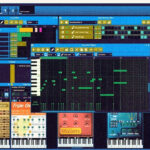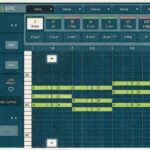
The best online beat maker for most people in 2026 is BandLab. It’s free, runs in your browser and gives you a drum machine, a sampler and up to 16 tracks. If you already think in FL Studio patterns, try FL Studio Web, Image-Line’s new browser version.
Below you’ll find 10 online beat makers, from full browser studios to one-click drum machines that don’t even need an account. Each one comes with what it costs, whether you need to sign up and how you get your beat out.
Quick picks
- Best free online beat maker: BandLab
- Best for FL Studio users: FL Studio Web
- Best with no sign-up: drumbit
- Best for MIDI drums you can reuse: Lil Beat Maker
- Best for a full song starter from loops: Slooply Stack Composer
Show Image An online beat maker runs in your browser – nothing to install. <!– OBRAZEK: grafika tytułowa – przeglądarka z siatką step sequencera i padami perkusyjnymi –>
Online beat makers compared
Here are all 10 tools side by side. “Sign-up” tells you whether you can start making a beat without creating an account.
| # | Online beat maker | Best for | Price | Sign-up | Get your beat out |
|---|---|---|---|---|---|
| 1 | FL Studio Web | FL Studio users | Free during beta (waitlist) | Image-Line account | Continue in FL Studio desktop |
| 2 | BandLab | Free all-round studio | Free, optional memberships | Yes | Export your track |
| 3 | Soundtrap Beatmaker | Step-sequenced drums + collaboration | Free to start, plans from $9.99/month | Yes | Export your track |
| 4 | Amped Studio | A full beat in the browser | Free core, Premium paid | Yes | Export from the studio |
| 5 | Audiotool | Sound design and synths | Free | Yes | Export from the studio |
| 6 | drumbit | Quick drum patterns | Free | No | WAV |
| 7 | Lil Beat Maker | Drum patterns for your DAW | Free | No | MIDI |
| 8 | Slooply Stack Composer | Beat starters from real loops | Free in beta | Yes | Stems |
| 9 | Incredibox | Fun, game-style beats | Free demo, paid app | No | Share link (MP3 in paid app) |
| 10 | Chrome Music Lab Song Maker | Total beginners | Free | No | Share link |
The 10 best online beat makers
1. FL Studio Web – best online beat maker for FL Studio users
FL Studio Web is Image-Line’s browser version of FL Studio, launched in beta in December 2025. It brings the Channel Rack, instruments and effects to your browser, plus access to FL Cloud sounds.
Best for: sketching beats on any computer, then finishing them in FL Studio
Price: free during the beta
Sign-up: Image-Line account; access is limited and runs through a waitlist
- Start a beat in the browser and continue it in FL Studio Desktop on PC or Mac
- Step-by-step onboarding for first-time producers
- Works best in Google Chrome, as Image-Line’s FL Studio Web page explains
Watch out: it only works one way – you can’t open desktop projects in FL Studio Web. Mobile support is still limited.
2. BandLab – best free online beat maker overall
BandLab is a complete music studio in your browser and on your phone, and its core tools are free. You get a drum machine, a 16-pad sampler, virtual instruments and one-click mastering presets.
Best for: beginners who want everything in one free place
Price: free; optional Pro and Max memberships add extras
Sign-up: yes
- Up to 16 tracks per project for free users
- A library of over 250,000 loops and one-shots, with 20 free sounds to claim each week
- Same project on web and mobile
Watch out: stem splitting and some AI features need a membership. Details are on BandLab’s free DAW page.
3. Soundtrap Beatmaker – best for step-sequenced drums and collaboration
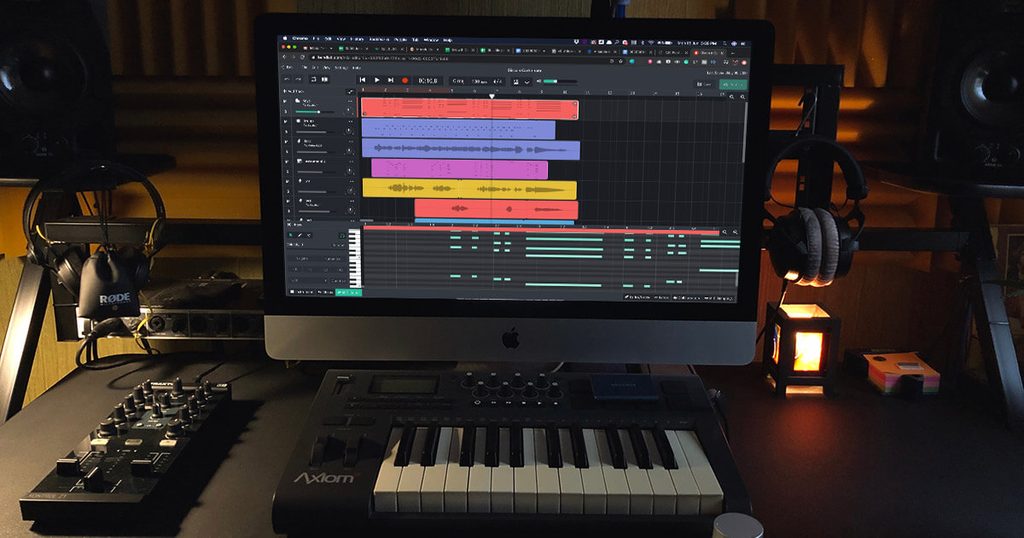
Soundtrap Beatmaker is a step sequencer inside Soundtrap, Spotify’s online studio. You program drums on a grid using more than 100 drum kits, from trap and lo-fi to rock and dance.
Best for: producers who want to build beats with friends in real time
Price: free to start; paid plans from $9.99/month (Capterra)
Sign-up: yes
- 808s, jazz drums and premade kits on the Soundtrap Beatmaker page
- Built-in MIDI editor to tweak every hit
- Real-time collaboration with comments
Watch out: many sounds and features sit behind the paid plans.

4. Amped Studio – best for a full beat in the browser
Amped Studio lets you go from drum pattern to arranged track without leaving your browser. You program drums in its Drumpler, write melodies in the MIDI editor and lay everything out on a timeline.
Best for: making a complete beat, not just a loop
Price: free core studio; Premium adds features
Sign-up: yes
- Free plan: up to 16 tracks, four synths, delay and reverb
- AI Assistant can sketch a multi-track idea in a chosen genre
- No download or install
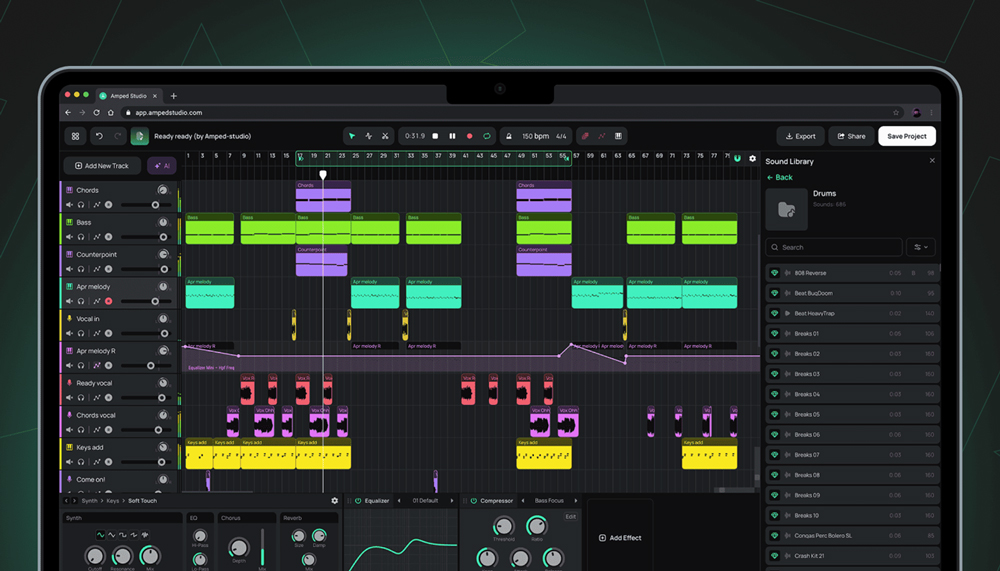
Watch out: saving your own samples and custom drum kits needs Premium, according to Amped Studio’s beat maker page.
5. Audiotool – best free online beat maker for sound design
Audiotool is a free browser studio built like a wall of hardware: drum machines, synths and effects you connect with virtual cables. It’s the most flexible tool on this list if you like shaping your own sounds.
Best for: electronic producers who like to tweak
Price: free
Sign-up: yes
- 3 drum machines and 7 synthesizers
- No track, project or length limits on the free tier
- Real-time collaboration and VST3 support through a desktop helper
Watch out: the modular layout takes longer to learn than a simple grid.
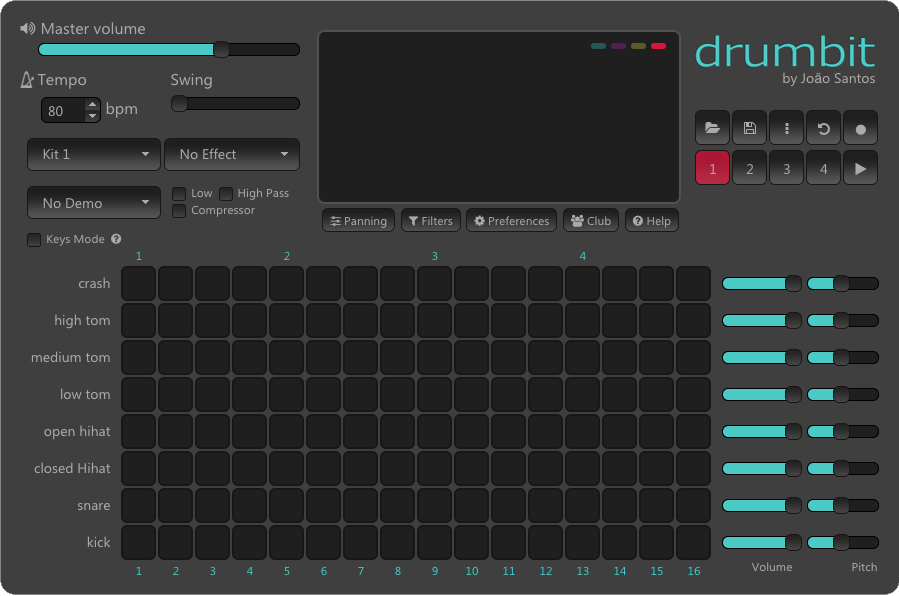
6. drumbit – best online drum machine with no sign-up
drumbit is a simple browser drum machine: open the page and start clicking steps. Each pattern uses eight drum sounds and up to four bars of 16 steps.
Best for: quick drum ideas in seconds
Price: free
Sign-up: no
- Tempo, swing and effects, plus volume and pitch for each sound
- Seven demo patterns to learn from
- Record your pattern and save it as a WAV file
Watch out: it only makes drums – for melodies, you’ll need another tool.
7. Lil Beat Maker – best for MIDI drums you can reuse
Lil Beat Maker by muted.io is a free 16-step drum machine on a circular timeline. Its best feature for producers: you can download your beat as MIDI.
Best for: sketching a drum groove, then loading it into FL Studio
Price: free
Sign-up: no
- Five drum sounds and five kits
- Velocity for every step, set with the number keys 1–9
- Randomize button for instant ideas
Watch out: five sounds are enough for a groove, not a full drum arrangement. Try it on muted.io.
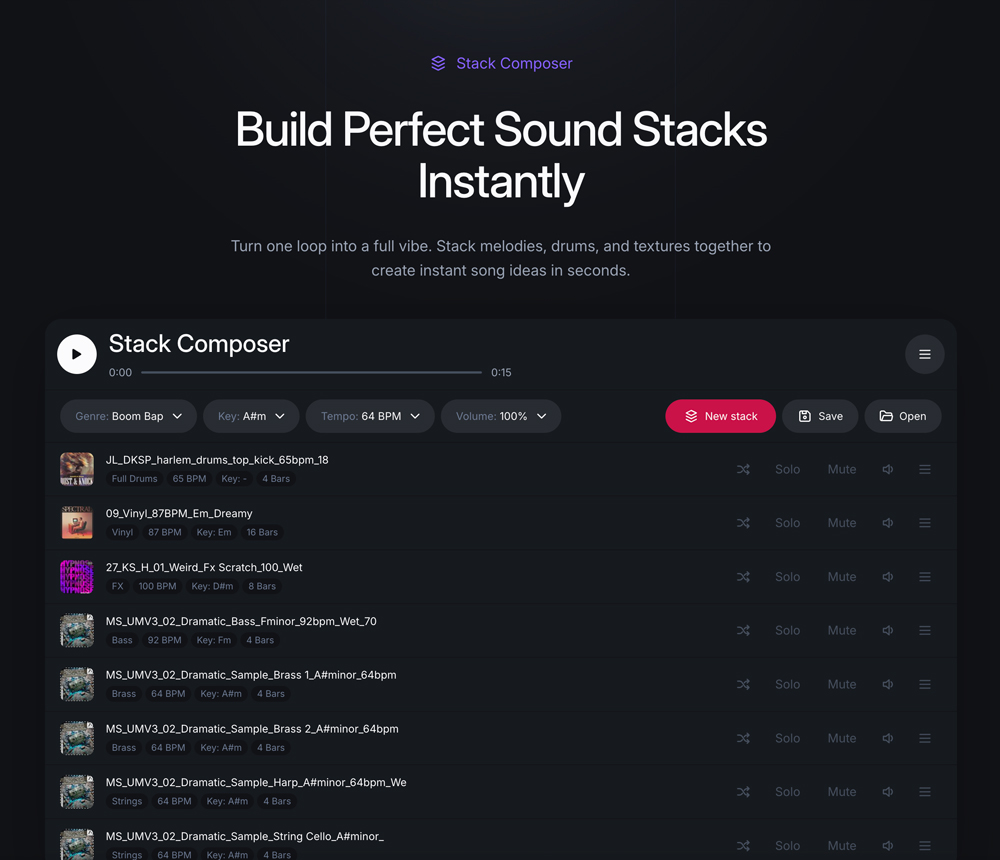
8. Slooply Stack Composer – best for beat starters made from real loops
Slooply Stack Composer builds a stack of matching loops – drums, bass, melody and more – in one click. You pick the genre, key and BPM, then swap, mute or regenerate any part until the idea clicks.
Best for: producers who want a starting point made from real, royalty-free loops
Price: free during beta (no credits used)
Sign-up: yes, a free Slooply account
- Loops are made by producers and session musicians, not generated by AI
- Export every stem and keep building in your DAW
- Change key and tempo before export
Watch out: it’s a song starter, not a full editor. Read how it works in What is Stack Composer? or open Stack Composer.
9. Incredibox – best beat maker game online
Incredibox turns beat making into a game: you drag sounds onto a band of beatboxers and they perform your mix. It’s the tool most people mean when they search for a beat maker game online.
Best for: having fun and learning how layers fit together
Price: free demo in the browser; the full app is paid
Sign-up: no
- Record your mix and share it with a link
- Each version has its own style and sounds
Watch out: the browser demo has ads, and MP3 export is only in the paid app, as Incredibox’s FAQ says.
10. Chrome Music Lab Song Maker – best for absolute beginners
Chrome Music Lab Song Maker is Google’s free music grid: click to add notes and drums, then press play. You don’t need an account, and you can share your song with a link.
Best for: kids, classrooms and anyone making their first beat
Price: free
Sign-up: no
- One grid for melody, one row for drums
- Others can open your link and build on your song
Watch out: it’s a learning toy – there’s no proper export for a DAW.
How to choose an online beat maker
Choose an online beat maker by what you want to do with the beat afterwards. A quick guide:
- You want to finish a whole track online: BandLab, Amped Studio or Soundtrap
- You plan to finish beats in FL Studio: FL Studio Web, or any tool that exports MIDI or stems
- You just want drums, fast, without an account: drumbit or Lil Beat Maker
- You’re stuck for ideas: Slooply Stack Composer
- You’re new and want to play: Incredibox or Chrome Music Lab
Before you invest hours, check two things. Does the tool export WAV, MIDI or stems? And does the sound library’s license let you release your beat?
How to make your first beat online
You can make a simple beat online in five steps, in any of the tools above:
- Set the tempo. Around 140 BPM for trap and drill, 85–95 BPM for boom bap, 120–128 BPM for house.
- Program the drums. Start with kick and snare, then add hi-hats. In a step sequencer, put the snare on steps 5 and 13 for a classic backbeat.
- Add an 808 or bass that follows the kick. New to 808s? Read our guide to what an 808 means in music production.
- Add a melody or a loop. Short, repeating loops work best – these techniques for catchy melody loops help.
- Arrange and export. Copy the pattern into an intro, verse and hook, mute parts for contrast, then export.
Short on sounds? Grab free samples and loops from Slooply and read why you shouldn’t be afraid of using samples and loops.
Can you make beats online with a keyboard?
Yes. Most online beat makers let you play notes on your computer keyboard. Browsers like Chrome can also connect a USB MIDI keyboard through the Web MIDI standard.
Plug in the keyboard before you open the page, then allow MIDI access if the browser asks.
Tips for playing beats on a keyboard:
- Record drums with your fingers, then quantize them so they sit on the grid
- Play chords live instead of clicking every note
- Check the tool’s settings for a MIDI input option – not every online beat maker supports external keyboards
What about AI beat makers?
AI beat makers create a beat from a text prompt or a genre setting, instead of you programming it. They’re fast for ideas, but you get less control over every sound, and free plans usually limit downloads or commercial use.
If you want to compare them, we tested the best AI music studios for songs, vocals and beats. For a wider list that includes AI song generators, see Slooply’s guide to online song makers and AI song generators.
When to move from an online beat maker to FL Studio
An online beat maker is perfect for starting out. You’ll feel ready for a desktop DAW like FL Studio when:
- You hit limits, like a cap on tracks or sounds you can save
- You want plugins: third-party synths and effects mostly need a desktop DAW
- You need detailed mixing, with sends, routing and sidechain – see our FL Studio tutorial on sends
- Your beats need to compete in loudness: read how to make your beats louder
Drums are usually the first thing to move. Our FL Studio FPC tutorial shows how to rebuild a drum kit on pads. Free MIDI files give you chords and melodies to drag straight into the piano roll.
FAQ
Is there a free online beat maker with no sign-up?
Yes: drumbit and Lil Beat Maker let you make drum beats without an account. Chrome Music Lab Song Maker and the Incredibox demo also work without signing up. Full browser studios like BandLab and Soundtrap need a free account to save your work.
Can I sell beats made with an online beat maker?
Usually yes, if you made the beat yourself and the sounds you used are licensed for commercial use. Check the terms of each tool’s sound library before you sell, and read whether you can use royalty-free samples on Spotify, YouTube and BeatStars.
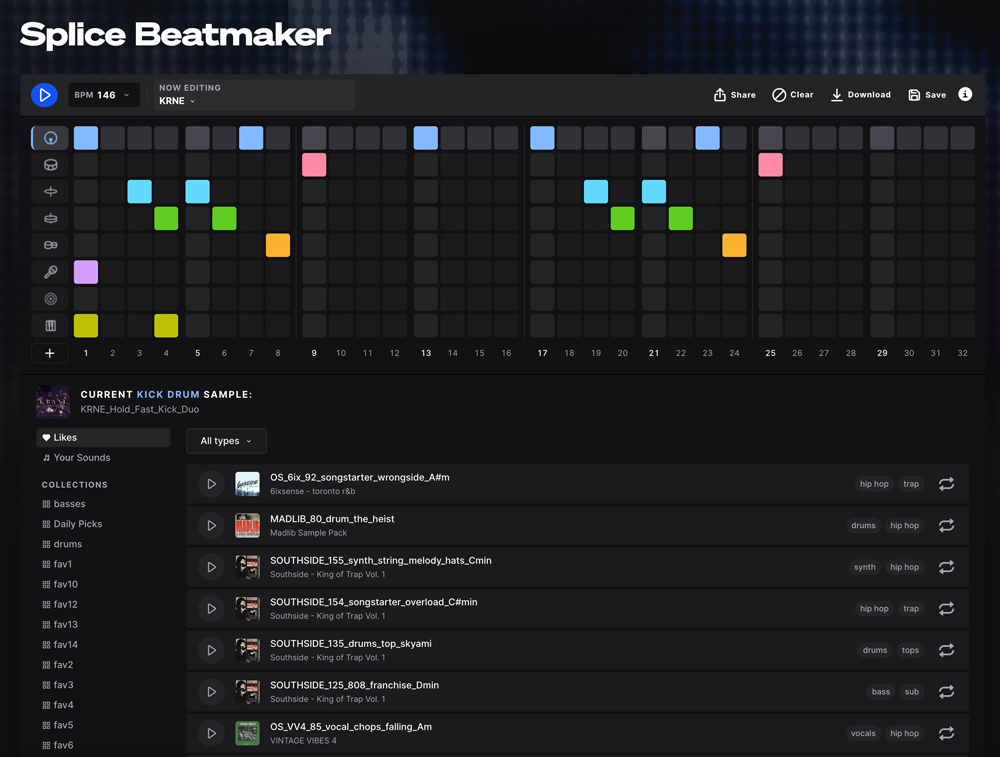
Is Splice Beatmaker still free online?
No. Many older lists still call Splice Beatmaker a free online tool. Today it’s a drum sequencer plugin (VST/AU) included with Splice’s Creator plans, according to Splice’s Beatmaker page.
What’s the best online beat maker for rap and trap?
BandLab and Soundtrap are the strongest free picks for rap and trap, because both include 808s and trap drum kits. For quick hi-hat and drum ideas you can move to FL Studio, sketch the pattern in Lil Beat Maker and export it as MIDI.
Can I move an online beat into FL Studio?
Yes. FL Studio Web projects continue directly in FL Studio Desktop. From other tools, export MIDI (drum patterns, melodies) or WAV stems, then drag them into the FL Studio Playlist or Channel Rack.