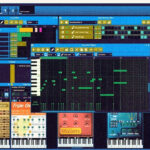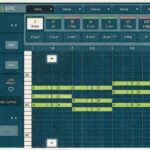
The best free FL Studio alternative in 2026 is LMMS. It’s free, runs on Windows, Mac and Linux, and builds songs from patterns and a piano roll, just like FL Studio. If you make beats with pads, try MPC Beats; on a Mac, GarageBand is the easiest start.
Below you’ll find 8 free DAWs, how close each one feels to FL Studio, and the catch with each. First, though, check whether you need an alternative at all – FL Studio itself has two free options.
Quick picks
- Closest to FL Studio: LMMS
- Best for beat makers who like pads: MPC Beats
- Best full-featured free DAW: Waveform Free
- Best for Mac and iPhone: GarageBand
- Best free FL Studio Mobile alternative: BandLab
Free FL Studio alternatives compared
Here are all 8 free DAWs side by side. “Feels like FL” rates how close the workflow is to FL Studio’s patterns, step sequencer and piano roll.
| # | Free DAW | Platforms | Price | Feels like FL | Biggest catch |
|---|---|---|---|---|---|
| 1 | LMMS | Windows, Mac, Linux | Free, open source | ⭐⭐⭐ Very close | No audio recording |
| 2 | MPC Beats | Windows, Mac | Free | ⭐⭐ Pads, not patterns | 10 tracks |
| 3 | Waveform Free | Windows, Mac, Linux | Free | ⭐ Different | Takes time to learn |
| 4 | Cakewalk Sonar Free | Windows | Free tier | ⭐ Different | Online sign-in about once a month |
| 5 | GarageBand | Mac, iPhone, iPad | Free | ⭐ Different | Apple only |
| 6 | BandLab | Browser, iOS, Android | Free | ⭐⭐ Simple beat tools | 16 tracks on the free plan |
| 7 | Audiotool | Browser | Free | ⭐⭐ Drum machines + pattern-style | Needs a good internet connection |
| 8 | Ardour | Windows, Mac, Linux | Free on Linux, from $1 elsewhere | ⭐ Different | Built for recording, not beats |
Can you get FL Studio for free?
Yes, in two ways – but neither is a full free version.
The FL Studio Trial
Image-Line’s trial has every plugin and feature of the All Plugins Edition and never expires. You can make songs, record and export audio.
The catch: once you close a saved project, you can’t reopen it until you buy FL Studio, as the FL Studio trial page explains.
FL Studio Web
Image-Line’s browser version launched in beta in December 2025 and is free during the beta. Access runs through a waitlist, and you can continue browser projects in FL Studio Desktop.
We cover it in our list of the best online beat makers.
When you’re ready to buy, FL Studio starts at $99 for Fruity Edition, with Producer at $199, Signature at $299 and All Plugins at $499. Every edition includes lifetime free updates.
The 8 best free FL Studio alternatives
1. LMMS – the closest free alternative to FL Studio
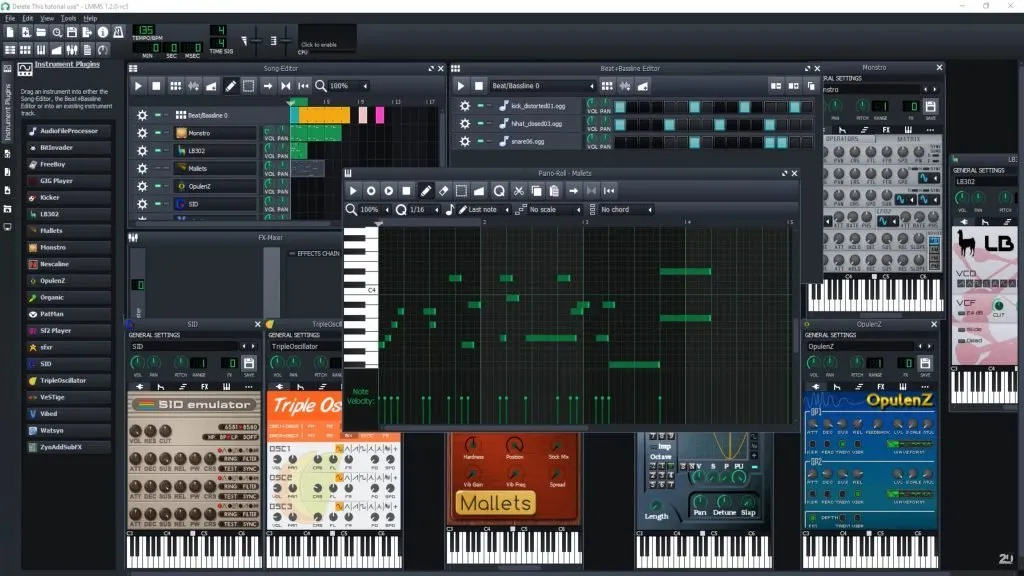
LMMS is a free, open-source DAW that works a lot like FL Studio. You build drum and bass patterns in its Beat/Bassline Editor, write melodies in the piano roll and arrange everything in the Song Editor.
Best for: FL Studio fans who want the same pattern-based workflow for free
Platforms: Windows, macOS, Linux
Price: free, open source
- Step sequencer and piano roll that FL users will recognize right away
- Built-in synths and effects, plus VST support (varies by operating system)
- Lightweight – runs well on older computers
Watch out: LMMS can’t record audio, so vocals and live guitar need another program. The last stable release (1.2.2) dates from 2020; version 1.3 is in alpha testing.
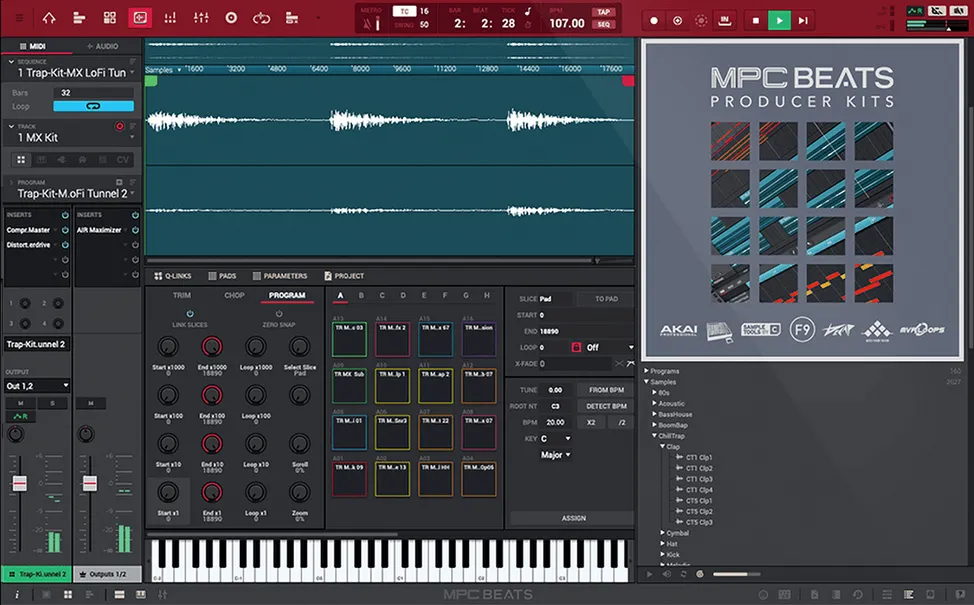
2. MPC Beats – best free alternative for beat makers
MPC Beats is Akai’s free beat-making DAW, built around the 16 drum pads of its MPC hardware. If you make hip-hop or trap beats, it can feel more natural than a step grid.
Best for: hip-hop and trap producers who like finger drumming
Platforms: Windows, macOS
Price: free
- 2GB of sounds, including drum kits from MPC Expansion Packs
- Over 80 AIR effects and three instruments included
- Supports third-party VST and AU plugins, and runs as a plugin inside other DAWs
Watch out: you get 10 tracks: 2 audio tracks and 8 MIDI/instrument tracks, according to MusicTech’s MPC Beats report.
3. Waveform Free – best full-featured free DAW
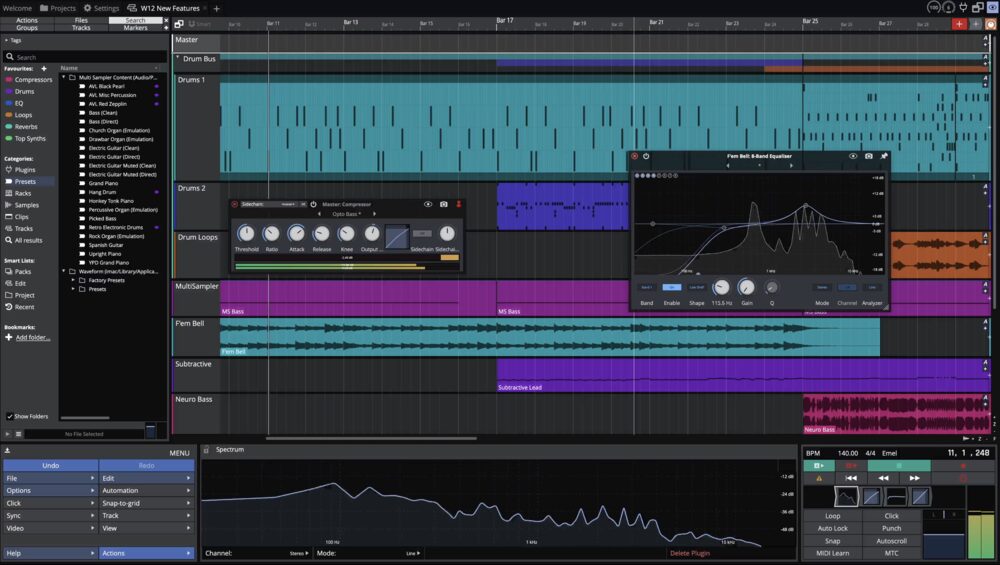
Waveform Free by Tracktion is a complete DAW with no limits on tracks, exports, time or plugins. It replaced the older free Tracktion T7.
Best for: producers who want a “real” DAW and are happy to learn a new layout
Platforms: Windows, macOS, Linux
Price: free
- Unlimited tracks and full third-party plugin support
- Plugin sandboxing: a crashing plugin doesn’t take the whole DAW down
- Quick-start templates and tutorial videos
Watch out: the single-screen layout is very different from FL Studio, so plan for a learning curve.
4. Cakewalk Sonar Free – best free DAW for Windows
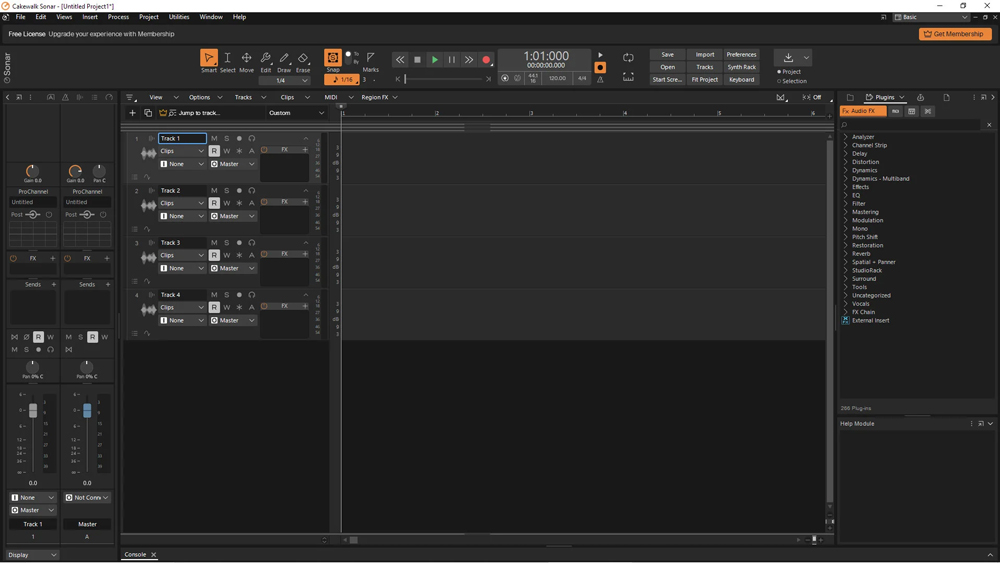
Cakewalk Sonar Free is the free tier of BandLab’s Cakewalk Sonar, which replaced the old Cakewalk by BandLab. It keeps most of Cakewalk’s core features and adds an integrated sampler and a per-track spectrum analyzer.
Best for: Windows users who want a traditional recording and mixing DAW
Platforms: Windows
Price: free tier; extras with a BandLab Membership
- Most of the core features of the old Cakewalk by BandLab
- Sidechaining improvements and a plugin A/B toggle
Watch out: you need to sign in online roughly once a month to keep it activated. Licenses for the old Cakewalk by BandLab stopped renewing in August 2025, so older “free Cakewalk” guides are out of date.
5. GarageBand – best free FL Studio alternative for Mac and iPhone
GarageBand is Apple’s free DAW for Mac, iPhone and iPad. It’s the easiest way to start making music on Apple devices, and projects move between devices through iCloud.
Best for: beginners on Mac or iPhone
Platforms: macOS, iOS, iPadOS
Price: free
- Drummer: a virtual session drummer with 28 drummers and three percussionists
- Up to 255 audio tracks and a piano roll editor
- Thousands of loops, including hip-hop and EDM
Watch out: no Windows or Android version. Projects open in Logic Pro if you upgrade later.
6. BandLab – best free FL Studio Mobile alternative
BandLab is a free studio that runs in your browser and on iPhone and Android. Its drum machine, 16-pad sampler and loop library make it the closest free option to FL Studio Mobile.
Best for: making beats on your phone or any computer, with no install
Platforms: browser, iOS, Android
Price: free; optional paid memberships
- Up to 16 tracks per project for free
- Over 250,000 loops and one-shots, with 20 free sounds to claim per week
- Same project on phone and desktop
Watch out: stem splitting and some AI tools need a paid membership.
7. Audiotool – best free FL Studio alternative with no download
Audiotool is a free studio in your browser, built like a rack of hardware: drum machines, synths and effects that you connect with virtual cables.
Best for: electronic producers on a Chromebook or a school computer
Platforms: browser (Chrome, Firefox, Edge)
Price: free
- 3 drum machines and 7 synthesizers
- No limits on tracks, projects or song length
- Real-time collaboration
Watch out: the modular layout takes a while to learn, and you need a stable internet connection.
8. Ardour – best open-source DAW for recording
Ardour is an open-source DAW built for recording, editing and mixing audio. It’s the strongest free choice on Linux, where most distributions offer it at no cost.
Best for: recording vocals and bands, especially on Linux
Platforms: Linux, Windows, macOS
Price: free on Linux and from source code; ready-to-run downloads are pay-what-you-want from $1
- Records and edits both audio and MIDI
- No license keys or activation
Watch out: Ardour is made for recording rather than beat making. The free demo download cuts out after a while, as the Ardour FAQ describes.
Best free FL Studio alternative for your device
Not every free DAW runs everywhere. Pick by what you’re using:
| Device | Best free choice | Also good |
|---|---|---|
| Windows PC | LMMS | MPC Beats, Waveform Free, Cakewalk Sonar Free |
| Mac | GarageBand | LMMS, MPC Beats, Waveform Free |
| Linux | LMMS | Ardour, Waveform Free |
| iPhone / iPad | GarageBand | BandLab |
| Android | BandLab | – |
| Chromebook / no download | BandLab | Audiotool, FL Studio Web (beta) |
What about REAPER?
REAPER isn’t free, but it’s close. You get 60 days of fully working evaluation, and a personal license costs $60, according to REAPER’s purchase page.
It’s light, fast and very customizable, which is why many producers recommend it. For beat making, though, it doesn’t have FL Studio’s step sequencer out of the box, so expect more setup.
How to choose a free FL Studio alternative
Choose by how you make music, not by the longest feature list:
- You love FL Studio’s pattern workflow: LMMS
- You make beats on pads: MPC Beats
- You record vocals or instruments: Waveform Free, Cakewalk Sonar Free or Ardour
- You’re on a Mac or iPhone: GarageBand
- You want to work on your phone: BandLab
- You can’t install software: BandLab, Audiotool or FL Studio Web
Plan to move to FL Studio later? Then LMMS teaches you the closest workflow. Our Ableton Live vs FL Studio comparison helps if you’re still deciding between the big paid DAWs.
Free sounds and plugins for any DAW
A free DAW sounds as good as the sounds you put into it. These fill the gaps:
- Plugins: find free synths and effects with our list of the 10 best websites to find free and paid VST plugins
- Samples: download free samples and loops from Slooply – they work in every DAW on this list
- MIDI: drag free MIDI files into LMMS, MPC Beats or GarageBand for instant chords and melodies
- Effects: missing FL’s Gross Beat? See our picks for free Gross Beat alternatives
FAQ
What does DAW mean?
DAW stands for digital audio workstation – software for recording, creating, editing and mixing music. FL Studio, LMMS, GarageBand and every program on this list are DAWs.
Is GarageBand a DAW?
Yes. GarageBand is a free DAW from Apple for Mac, iPhone and iPad. It’s simpler than FL Studio or Logic Pro, but it records audio, edits MIDI in a piano roll and mixes full songs.
Is REAPER better than FL Studio?
REAPER is better for recording, editing and deep customization, and it costs less. FL Studio is better for beat making, thanks to its step sequencer, Channel Rack and built-in instruments. Many producers choose by workflow, not by features.
Is FL Studio or Ableton better?
Neither is better for everyone: FL Studio is faster for pattern-based beats, while Ableton Live shines for live performance and audio warping. We compare both in detail in Ableton Live vs FL Studio.
Can I open FL Studio projects in a free DAW?
No. FL Studio project files (.flp) only open in FL Studio. To move a song to another DAW, export each track as WAV stems or each pattern as MIDI, then import them into the new DAW.